Build a PS2 Emulator on the Edge with Admiral
We packaged PCSX2 as an Admiral workload; X11, ALSA, gamepad passthrough, remote SSH and all. A fun demo that happens to exercise nearly every hard part of the platform.

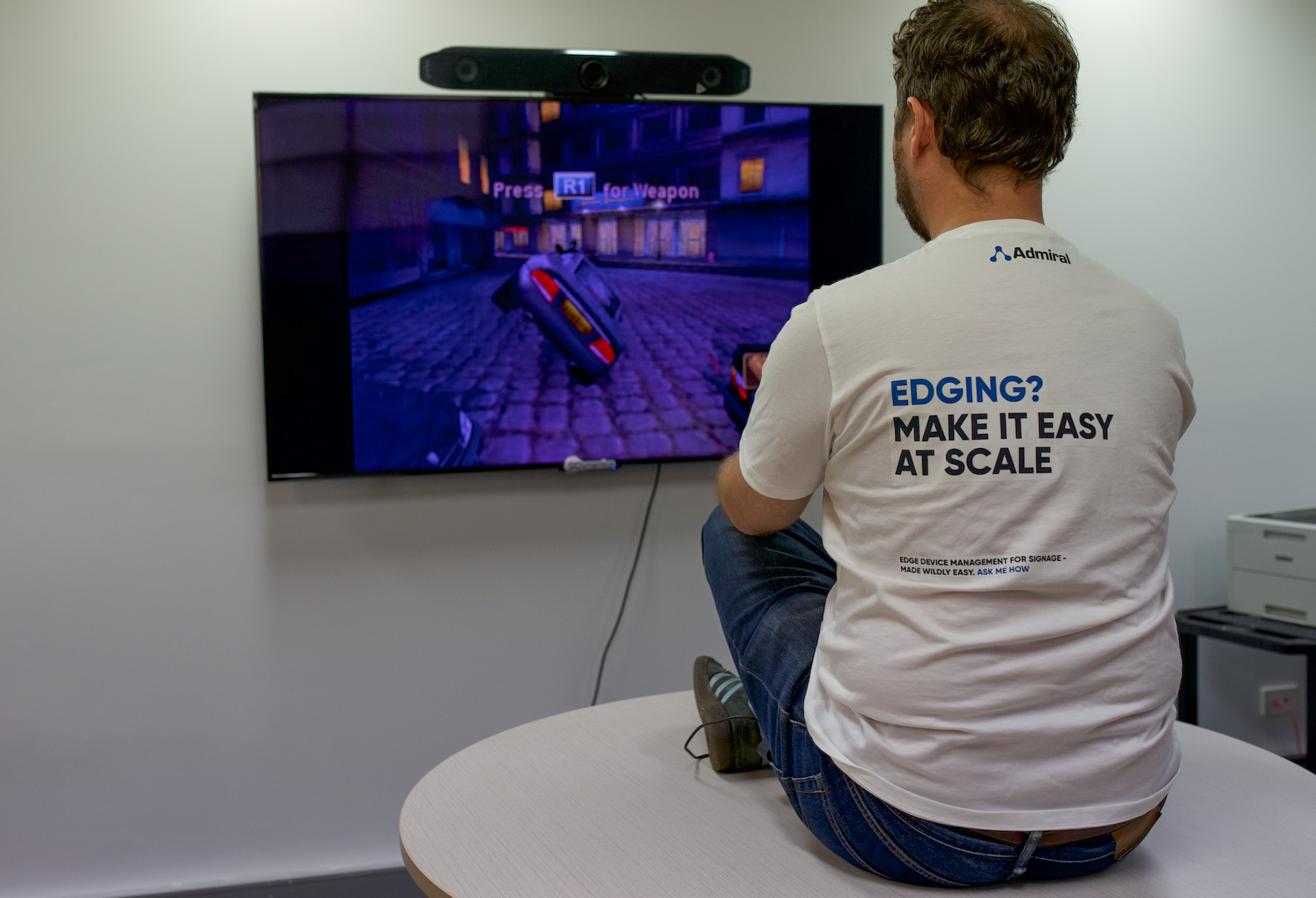
Build a PS2 Emulator on the Edge with Admiral
A reasonable question, which nobody asked, is: can you deploy a PlayStation 2 to a fleet of edge devices and manage it like you’d manage a digital signage rollout?
Yes. Obviously yes. And we built it.
This post walks through how we packaged PCSX2; the reference PlayStation 2 emulator - as an Admiral workload, complete with X11, ALSA audio, gamepad passthrough, and remote SSH for when something inevitably goes sideways at a LAN party.
The full source is on GitHub: github.com/AdmrlOS/admiral-examples
⚠️ Before you start: You’ll need to supply your own PS2 BIOS and your own game image. We can’t ship those - they’re copyrighted, and dumping your own is the only legitimate path. The repository has a placeholder directory for each. If you own a PS2 and a game, you already have everything you need.
Why this is actually interesting
Strip away the nostalgia and this demo exercises nearly every non-trivial part of the Admiral platform:
- A full graphical Linux stack (X11, Openbox, OpenGL/Vulkan) running in an OCI image
- Real hardware device passthrough -GPU, audio, USB gamepads,
/dev/input/event* - Kiosk-style autostart with no window decorations and no user shell
- Live SSH access for debugging, without ever opening an inbound port
- Resolution forcing, HDMI quirks, and ALSA device detection - exactly the class of problems real kiosk/signage deployments hit
If you can run PCSX2 as an Admiral workload, you can run literally any Linux GUI application as an Admiral workload. Home Assistant dashboards, Frigate NVR, Grafana kiosks, WebGL art installations - same pattern.
The components
The image is a single Dockerfile. The interesting pieces are:
1. A Debian/Ubuntu base with the PCSX2 daily PPA We use ubuntu:noble and pull pcsx2-unstable from the official team PPA. Nothing exotic.
2. A graphical stack Xorg, Openbox as a minimal window manager, and the Mesa drivers (including Vulkan and VA-API). Openbox is configured to force every window to fullscreen with no decorations - this is a kiosk, not a desktop.
3. ALSA, and aggressively no PulseAudio This one took us an embarrassing amount of time. PCSX2’s audio backend (Cubeb) will gleefully try to route through PulseAudio if it’s available and then mysteriously produce no sound. We explicitly remove libasound2-plugins during the build to stop this. Raw ALSA only. The startup script auto-detects which sound card is the analog output (skipping HDMI audio which is almost never what you want) and writes an /etc/asound.conf dynamically.
4. Input device passthrough An X11 InputClass configuration picks up anything that shows up on /dev/input/event* via evdev. Plug in a USB controller, it works. This is also what lets keyboard input reach the emulator without any desktop environment in the loop.
5. SSH, baked in The image installs openssh-server and pulls authorized keys directly from GitHub (https://github.com/<user>.keys) at build time. This is a pattern we use a lot - more on it in a separate post - and it means you can SSH into any device in your fleet for debugging without managing key distribution yourself.
6. A start script that wires it all together On boot: initialise udev, fix permissions on input and sound devices, detect the analog audio card, write the ALSA config, launch Xorg with Openbox, force the display to 1080p via xrandr, and finally exec pcsx2-qt -batch -fullscreen with the game path.
Then it runs sshd in the foreground so the container stays up and you have a way in.
The deployment
Once the image builds and pushes to your registry, deploying it to a fleet is the same as deploying anything else on Admiral:
admiral workload push nightfire
  --image registry.example.com/nightfire:latest
  --fleet arcade-cabinets
Every device in the arcade-cabinets fleet pulls the image, verifies the signature, flips to the new workload, and reboots into James Bond 007: Nightfire. Rollback is automatic if the device stops heartbeating.
We’ve run this across a desk of mixed x86 mini PCs and ARM64 boards (including our reference Allwinner H618 target - more on that in an upcoming post) and it Just Works, because that’s the whole point of shipping a single immutable image.
Things we learned along the way
- HDMI audio will ruin your day. Half the time your “default” sound card will be a silent HDMI sink. Always detect.
- Xorg in a container is fine. Genuinely. The horror stories are a decade out of date. You need access to
/dev/dri/*and the right group membership (video,render,input), and it works. GrabDevice "true"in the evdev config matters when you have multiple X servers or stray processes fighting for input. Without it, keystrokes go to the void.- Forcing a resolution with
xrandris essential for kiosks. Consumer displays lie about their EDID constantly. Pick a mode, set it, move on. execeverything. If your final process isn’t PID 1 (or at least properly exec’d), signal handling and container shutdown get weird.
Where to take this next
The repo is a starting point. Some fun extensions:
- Swap PCSX2 for RetroArch and you have a multi-system retro gaming cabinet fleet
- Add Sunshine and stream the emulator to a Steam Deck over the network
- Wire a physical arcade button panel into
/dev/inputand map it in PCSX2’s controller config - Replace the game path with an environment variable and let the fleet manager push different games to different devices
Clone it, supply a BIOS and an ISO, and push it to your first five (free) Admiral devices:
github.com/AdmrlOS/admiral-examples
Ping us if you build something weirder. We will absolutely write a follow-up.
Daniel Ward
Co-founder & CTO
Daniel runs engineering at Admiral and has a rich background in highly distributed linux systems across infrastructure and finance.